
Broken Link Checker vs Advanced Broken Links Search
Same job — find dead links in Chrome. Different deal: they meter checks; we do not. We highlight on the page, check images, and crawl faster — a 1,100+ page site took us 6–9 minutes, them about 13.
Broken Link Checker — popup
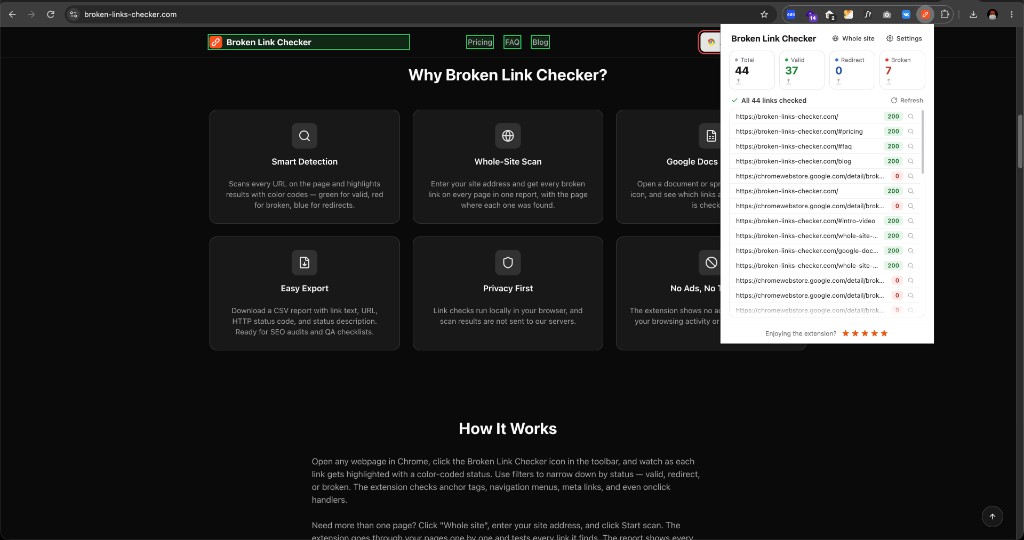
ABL Search — side panel
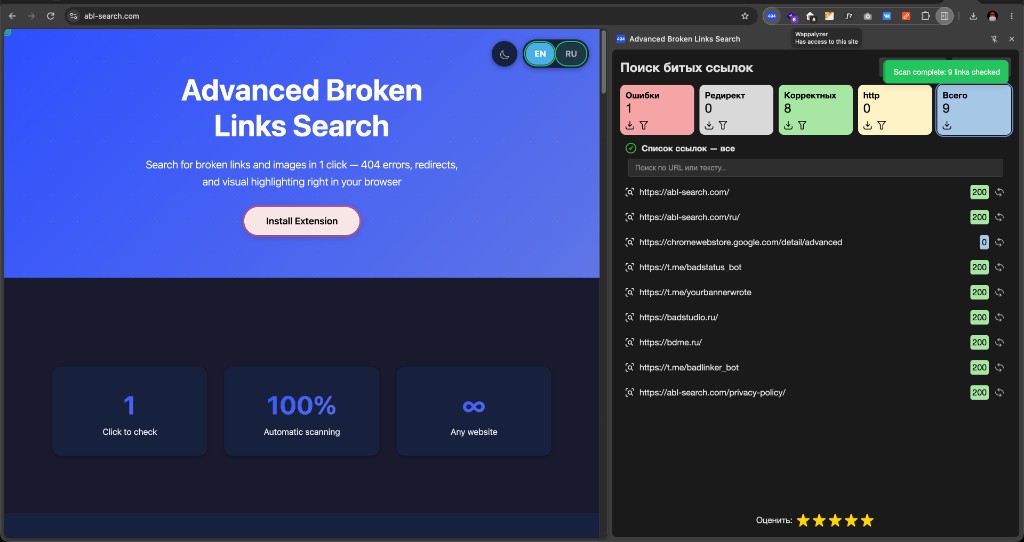
When to use us
You want image checks and to see the broken node on the page. You do not want a credit-card reminder after three tries. Scans are not metered.
When they may fit better
If a paid plan with formal support and an SLA matters to you, they have that and we currently do not. Beyond that — whole-site crawl, Docs/Sheets, images — we have not found an area where they are clearly ahead today.
| Advanced Broken Links Search | Broken Link Checker | |
|---|---|---|
| Price | Free | Paid after 3 checks |
| Page scan | Yes | Yes |
| Whole-site crawl | Yes | Yes |
| Crawl speed (our test, 1,100+ pages) | 6–9 minutes | ~13 minutes |
| Broken images | Yes | Not a product pillar |
| On-page highlighting | Yes | List-first |
| Side panel | Yes | Popup / extra tab |
| Google Docs & Sheets | Yes | Yes |
| Redirect chains | Yes | Yes |
| CSV export | Yes | Yes |
Frequently asked questions
No. Different UI (side panel + highlight), image checking. Free, with no three-check trial. Whole-site crawl exists in both products in 2026.