
How to check a page for broken links
Six steps from the Chrome Web Store to a CSV your developer will actually open.
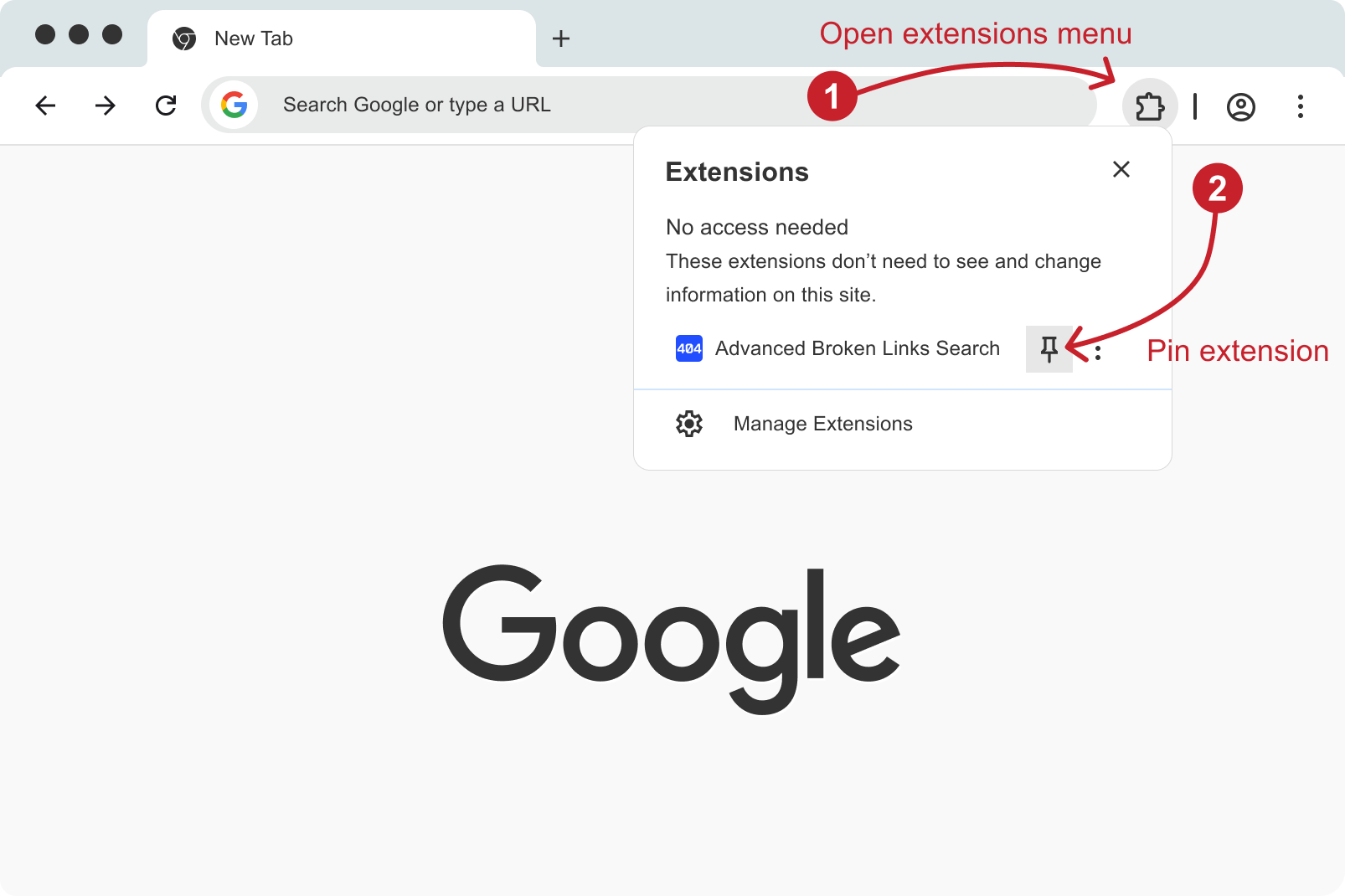
Pin it
After install, pin the icon so you are not digging through the puzzle menu every time.
Side panel
Open the extension on any http(s) page. chrome:// and the Web Store cannot be scanned — that is Chrome, not us.
Pause is allowed
Huge pages do not require a heroic sit-and-watch. Pause and resume.
Export
CSV columns: URL, type, HTTP status, final address after redirects.
Settings worth knowing
GET vs HEAD, nofollow, ignore CSS selectors, per-site overrides. Keep defaults if you just want a first pass.
From install to a fix
-
1
Install from Chrome Web Store
One click. No account on our side.
-
2
Pin the extension
Toolbar pin — otherwise you will forget it exists.
-
3
Open a real page
Any http or https URL you can browse.
-
4
Start the scan
Open the side panel and run. Watch progress.
-
5
Filter
Errors, redirects, images, insecure HTTP.
-
6
Export or highlight
CSV for the team, or jump to the element and fix it now.