
Broken Link Checker vs Advanced Broken Links Search
Side-by-side: 3-check trial vs currently free, popup vs side panel, and how fast each one crawls a whole site. Written by us, with the gaps named.
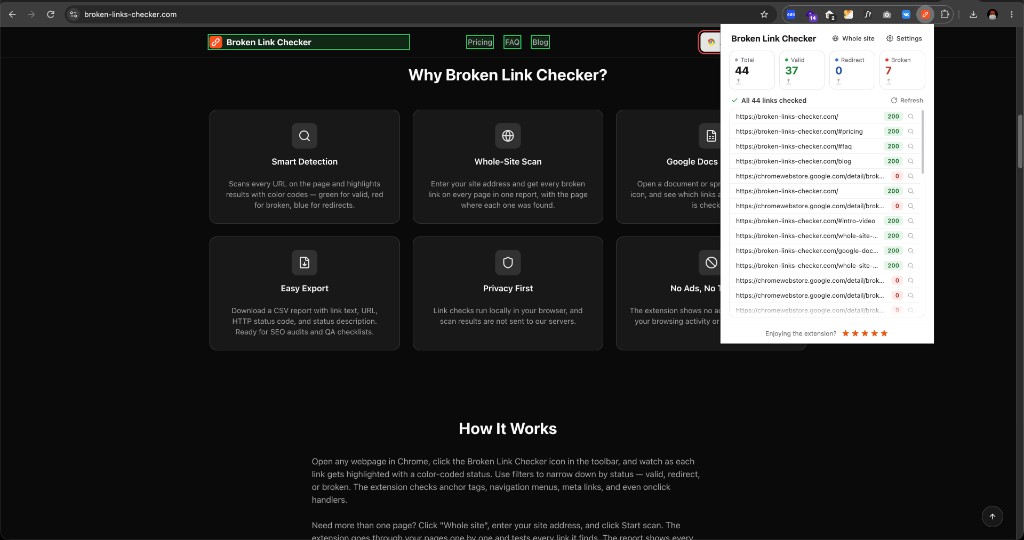
Broken Link Checker — popup
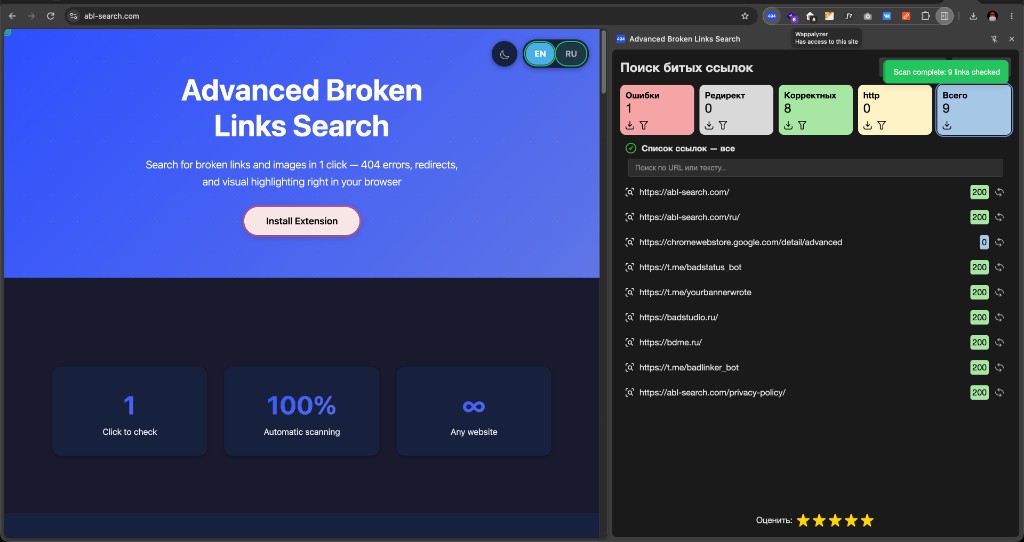
ABL Search — side panel
Broken Link Checker is another Chrome extension in the same problem space. Advanced Broken Links Search is ours. Different contract.
A longer product page lives at /vs/broken-link-checker. This is the blog version.
Popup vs side panel
This is the difference you feel after two minutes, not after reading a feature table.
Broken Link Checker lives in a toolbar popup. Popups in Chrome are disposable. You click the page to inspect a link — the popup is gone. You scroll to the footer — gone. You open DevTools — gone. Then you click the icon again, wait, and try to remember which URL you were on.
Ours is a Chrome side panel. It docks next to the tab. The site stays on the left. The report stays on the right. You can click a result, highlight the node, follow a redirect, come back, pause, filter, export. The panel is still there.
That is why the screenshots above look different even before you talk about price or Docs. One UI fights the page. The other works with the page.
Money
They advertise three free checks, then a subscription. Today we do not meter scans. That can change; there is no paid plan yet.
Docs and Sheets
They check Google Docs and Sheets. So do we now — open a Doc or Sheet, run a scan, the extension pulls links from the exported HTML and checks them like any other page.
Images and the page
We treat broken images as a product feature and highlight statuses on the DOM. Their product is list- and report-first. If you need to find the button, highlighting plus a panel that does not close wins.
Crawl
Both products grew a whole-site mode. Ours ships in the same extension: sitemap, robots, history, CSV. On a real 1,100+ page site, our full crawl took 6–9 minutes depending on the speed preset (Slow/Normal/Fast); Broken Link Checker took about 13 on the same site. One test on one site, not a universal claim — but the gap was real. We also do not mark a link broken the instant a server rate-limits us (429/503): it gets a couple of retries with backoff before that status sticks. Details on whole-site scan.
Who should install what
- Us — websites, images, a side panel that stays open, a faster full-site crawl. Currently free, no paid plan yet.
- Them — you specifically want a paid plan with formal support and an SLA behind it.
Do not confuse a ranking article with a feature we never shipped.
Check the page you just read about
Install Advanced Broken Links Search and scan the live page — links, images, redirects. Free, no account.
Add to Chrome — free